The Best Gaming Monitors for an Immersive Experience Amazing picks
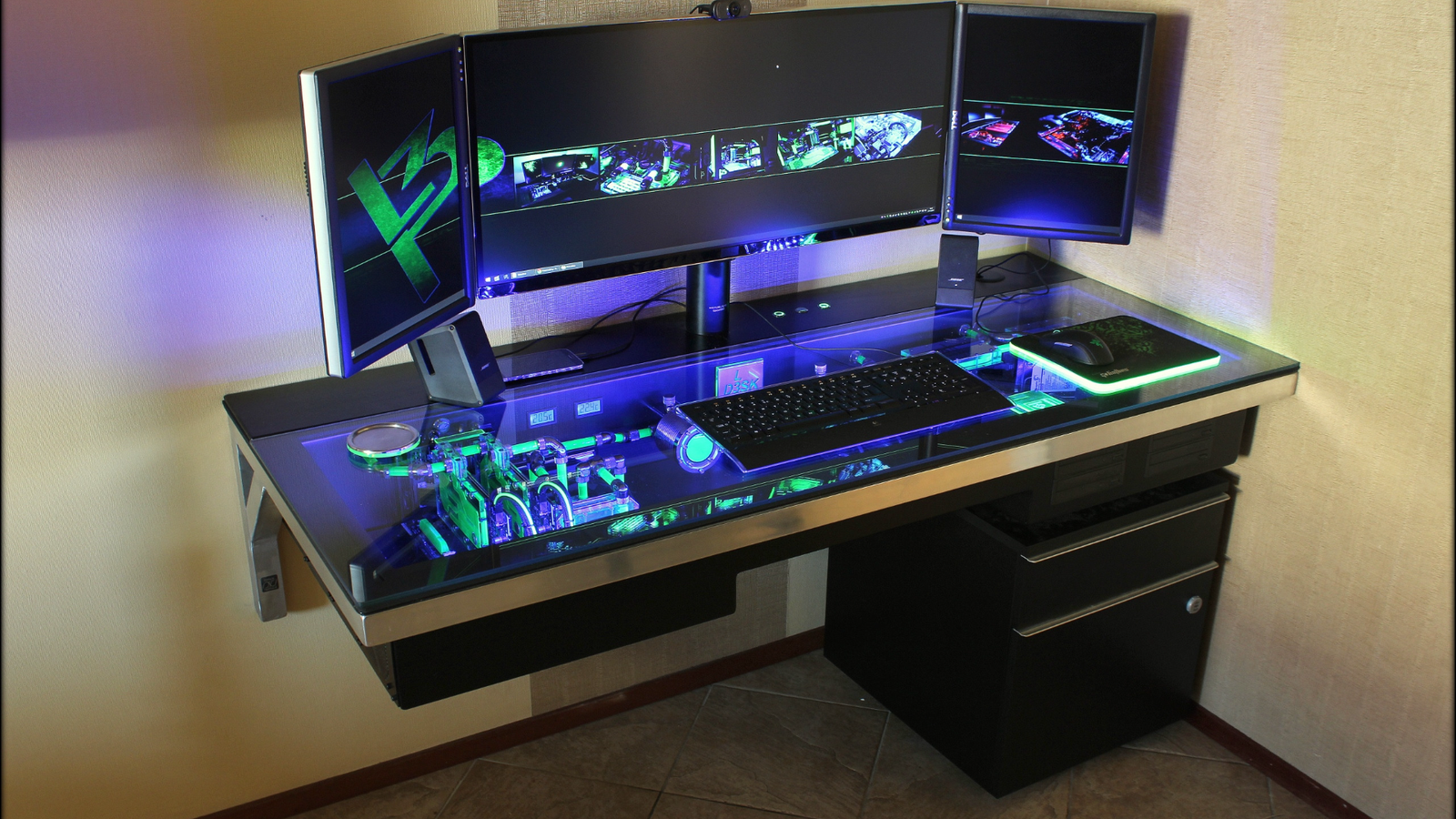
Introduction To Gaming Monitors
Choosing the right gaming monitor is essential for any gamer who wants to elevate their gaming experience, whether it’s for fast-paced shooters, expansive RPGs, or immersive strategy games. With the rapidly evolving technology in display panels, refresh rates, and response times, the market offers a wide variety of options tailored to different gaming styles and budgets. This article dives deep into the best gaming monitors available, guiding you through the key features to consider and highlighting top models that deliver exceptional performance and visuals.
Why a Good Gaming Monitor Matters
A gaming monitor does much more than just display images; it enhances your reaction time, visual clarity, and overall immersion. Unlike standard monitors, gaming monitors come equipped with higher refresh rates, faster response times, adaptive sync technologies, and better color accuracy. These features translate into smoother gameplay, reduced screen tearing, and vibrant graphics that make every game world come alive.
Key Features to Look for in a Gaming Monitor
- Refresh Rate: Measured in Hertz (Hz), this determines how many times the screen updates per second. Higher refresh rates like 144Hz, 240Hz, and even 360Hz offer smoother motion, crucial for competitive gaming.
- Response Time: This is the time it takes for a pixel to change colors, usually measured in milliseconds (ms). Lower response times (1ms to 4ms) minimize motion blur and ghosting effects.
- Screen Resolution: Common resolutions include Full HD (1920×1080), Quad HD (2560×1440), and 4K UHD (3840×2160). Higher resolution provides sharper details but may require a powerful GPU.
- Panel Type: TN panels offer fast response times but lower color accuracy and viewing angles. IPS panels deliver better colors and wider viewing angles but sometimes slightly slower response. VA panels strike a balance with deeper blacks.
- Adaptive Sync Technology: Technologies like NVIDIA G-SYNC and AMD FreeSync synchronize your GPU and monitor to prevent screen tearing and stuttering.
- Size and Aspect Ratio: Most gaming monitors range between 24 to 32 inches. Ultrawide monitors (21:9 or 32:9 aspect ratios) provide a wider field of view, enhancing immersion.
Top Gaming Monitors
1. ASUS ROG Swift PG259QN
Perfect for esports enthusiasts, this monitor boasts a blazing fast 360Hz refresh rate and an ultra-low 1ms response time. Its 24.5-inch Full HD IPS panel ensures vibrant colors and wide viewing angles. Equipped with NVIDIA G-SYNC, it offers tear-free gameplay, making it ideal for competitive shooters where every millisecond counts.
2. LG UltraGear 27GN950-B
For gamers craving stunning visuals, the LG UltraGear 27GN950-B delivers a 4K UHD resolution on a 27-inch IPS display with a 144Hz refresh rate. It supports both NVIDIA G-SYNC and AMD FreeSync, offering flexibility. Its HDR600 support and excellent color accuracy make it perfect for immersive single-player games and creative work.
3. Samsung Odyssey Neo G8
This 32-inch curved gaming monitor features a 4K resolution with a 240Hz refresh rate and a 1ms response time. Its Quantum Mini-LED technology provides exceptional contrast and HDR performance. The ultrawide aspect ratio enhances peripheral vision, ideal for racing and simulation games.
4. Dell Alienware AW3423DW
A standout ultrawide option, the Alienware AW3423DW offers a 34-inch QD-OLED panel with a 3440×1440 resolution, 175Hz refresh rate, and 0.1ms response time. The OLED technology guarantees deep blacks and vibrant colors, delivering an immersive experience with minimal latency.
5. AOC 24G2
For budget-conscious gamers, the AOC 24G2 provides excellent value with a 24-inch Full HD IPS panel, 144Hz refresh rate, and 1ms response time. It supports AMD FreeSync and offers good color reproduction, making it a solid choice for casual and competitive gamers alike.
How to Choose the Right Gaming Monitor for You
When selecting a gaming monitor, consider your gaming preferences and hardware capabilities:
- If you prioritize competitive gaming: Look for high refresh rates (240Hz or above) and low response times (1ms). A 24-25 inch monitor with Full HD resolution is often sufficient.
- If you want immersive visuals: Opt for higher resolution (QHD or 4K), IPS or OLED panels for vivid colors, and larger screens (27 inches or above). Consider HDR support for enhanced contrast.
- If you have a limited budget: Monitors like the AOC 24G2 deliver strong performance without breaking the bank. Prioritize refresh rate and response time over ultra-high resolution.
- Check your GPU capabilities: Higher resolution and refresh rate monitors require more powerful graphics cards to maintain smooth gameplay.
Additional Tips for the Best Gaming Experience
- Calibration: Calibrate your monitor settings to optimize color accuracy and brightness for different game genres.
- Ergonomics: Choose monitors with adjustable stands for height, tilt, and swivel to reduce strain during long sessions.
- Connectivity: Ensure your monitor has compatible ports (HDMI, DisplayPort) for your setup and supports the highest refresh rates.
Conclusion
Investing in a great gaming monitor can transform your gaming sessions from ordinary to extraordinary. Whether you are a competitive gamer chasing high frame rates or a casual player seeking stunning visuals, the perfect monitor is out there. Consider the features most important to your gaming style, balance them with your budget, and you’ll be ready to enjoy smooth, immersive gameplay like never before. Stay tuned to productsofallsorts.online for more in-depth reviews and guides to help you choose the best tech for your lifestyle.


Leave a Comment