Why Amazing Small Ergonomic Accessories Matter More Than The Most People Think
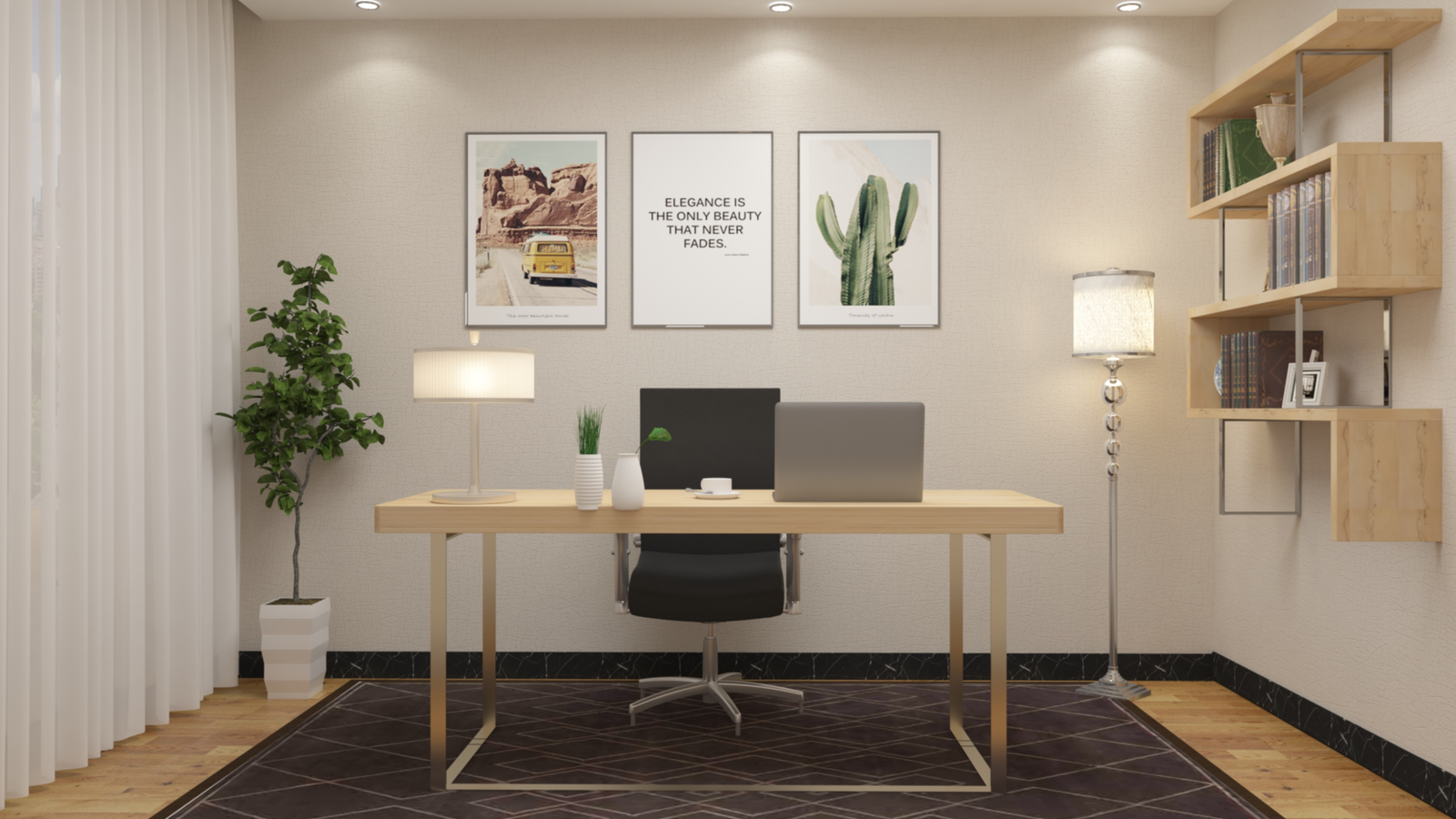
Introduction To Ergonomic Products
A £1,500 ergonomic chair will not fix wrist pain caused by a badly positioned keyboard. A standing desk will not resolve neck pain caused by a monitor at the wrong height. Ergonomics is a system — every component needs to be right, and the accessories that fine-tune the system are often more impactful per pound spent than the headline items.
The NHS estimates that musculoskeletal disorders — back, neck and wrist pain caused or worsened by desk work — account for 31 million working days lost in the UK annually. Most of these are preventable with correct workspace setup. See our back pain prevention guides and our wrist health section for more on the medical context.
The Best Ergonomic Accessories Under £30
1. Monitor Riser with Storage — The Single Most Impactful £20 Purchase
The top of your monitor should be at or slightly below eye level when sitting in your normal working posture. Most laptop and monitor setups are 15–20cm too low, forcing a sustained chin-down head position that loads the cervical spine with the equivalent weight of a 12kg bowling ball. Over eight hours, this is the direct cause of the neck and shoulder tension that desk workers almost universally experience.
A monitor riser — essentially a platform that elevates your screen — is the single cheapest fix for this almost universal problem. The Fellowes Standard Monitor Riser raises screens by 10cm, includes a storage shelf underneath for keyboards when not in use, and costs around £18. It works for external monitors and laptops on stands equally.
For laptop users working without an external monitor, a separate laptop stand that raises the screen to eye level combined with an external keyboard and mouse is the correct ergonomic solution. The Rain Design mStand (£40) and Nexstand K2 (£20) are the most recommended options at different price points. See our laptop accessories guide for full recommendations and our home office setup guides for complete workspace arrangements.
UK: Amazon UK, Currys, Argos, Staples UK
USA: Amazon USA, Best Buy, Staples USA, Target
Price: £15–£25 UK / $18–$28 USA
2. Wrist Rest for Keyboard and Mouse — Prevents the Most Common Desk Injury
Carpal tunnel syndrome and repetitive strain injury (RSI) affect an estimated 8 million people in the UK. The primary cause in desk workers is sustained wrist extension — the wrist bent upward — during keyboard and mouse use. A wrist rest keeps the wrist in a neutral position during typing pauses, significantly reducing the cumulative stress that develops into RSI over months and years.
Important distinction: wrist rests are for use during typing pauses, not while actively typing — typing with the wrist resting adds different strain. The Fellowes Memory Foam Wrist Rest Set (keyboard and mouse pad combined) costs around £22 and is the most widely used in UK offices. The Kensington Duo Gel Wrist Rest is the premium alternative at around £28.
See our RSI prevention guides for exercises and stretches to complement wrist rest use, and our mechanical keyboard guides for keyboards with better ergonomic profiles that reduce wrist strain inherently.
UK: Amazon UK, Currys, Staples UK
USA: Amazon USA, Staples USA, Best Buy
Price: £18–£28 UK / $20–$32 USA
3. Footrest — Solves the Problem Nobody Identifies
If your chair is adjusted to the correct height for your desk, your feet may not reach the floor — particularly for shorter users. Feet dangling or resting on tiptoes creates lower back and hip pressure that compounds throughout the day. A footrest solves this in a way that neither lowering the chair (which then puts the desk at the wrong height) nor raising the desk (expensive) can.
The Kensington SoleMate Comfort Footrest is adjustable in height and angle, has a textured surface for foot movement, and costs around £25. The cheaper option — a sturdy box or stack of books — works identically if the aesthetic does not matter. See our ergonomic workspace guides and our posture guides for a full sitting posture checklist.
UK: Amazon UK, Staples UK, Argos
USA: Amazon USA, Staples USA, Target
Price: £20–£35 UK / $22–$40 USA
4. Document Holder — Eliminates Repetitive Neck Rotation
For anyone who regularly works from printed documents or a second device while typing, a document holder that positions the reference material at the same height and distance as the monitor eliminates the constant neck rotation between screen and desk surface. This is one of the most underrated ergonomic accessories in professional environments.
The Fellowes Inline Document Holder clips to the side of the monitor and costs under £15. The 3M Desktop Document Holder sits between keyboard and monitor for a more central position. Both eliminate what ergonomists call “head turn plus downward flex” — a combination that places particularly high stress on the cervical spine.
UK: Amazon UK, Staples UK
USA: Amazon USA, Staples USA
Price: £12–£20 UK / $14–$22 USA
5. Blue Light Blocking Glasses — For Evening Screen Users
The evidence on blue light blocking glasses is more nuanced than the marketing suggests — the research does not conclusively show that blue light itself causes eye strain during daytime use. What is better established is that exposure to the blue-wavelength portion of screen light in the two to three hours before sleep suppresses melatonin production and delays sleep onset.
For evening screen use — working late, watching content before bed, reading on a tablet — blue light blocking glasses with amber-tinted lenses are a legitimate evidence-based tool for protecting sleep quality. They are not necessary during daylight hours for most people. The Swanwick Sleep Blue Light Blocking Glasses are the most recommended in both UK and USA markets. See our sleep guides for a comprehensive review of sleep quality tools and our smart lighting guides for screen-free alternatives to blue light management.
USA: Amazon USA, Target, Walmart
Price: £15–£40 UK / $18–$45 USA
Best Ergonomic Accessories £30–£100
6. Monitor Arm — Transforms Any Desk Setup
A monitor arm replaces the fixed stand that comes with most monitors with a fully adjustable articulated arm mounted to the desk edge. It allows the monitor to be positioned at exactly the right height, depth and angle for the individual user — something fixed stands make impossible. It also frees up significant desk surface area, which has measurable impact on workspace organisation and perceived spaciousness.
The Ergotron LX Desk Monitor Arm is the most consistently recommended option across professional and home office environments in both UK and USA markets. At around £90 UK / $99 USA it is not cheap, but the build quality means it lasts indefinitely — unlike cheaper alternatives that develop wobble and lose tension within months. Compatible with any VESA-mounted monitor up to 34 inches and 11.3kg.
See our monitor guides for display recommendations to pair with this, our desk guides for compatible desk types and our cable management guides for tidying the cabling that monitor arms expose.
UK: Amazon UK, Currys, John Lewis
USA: Amazon USA, Best Buy, Staples
Price: £85–£95 UK / $94–$109 USA
7. Laptop Stand Plus External Keyboard and Mouse — The Remote Worker’s Essential Setup
Using a laptop directly on a desk — screen too low, keyboard too close, no separation between screen height and typing position — creates ergonomic problems that no amount of chair or desk adjustment can fully resolve. The correct solution is a laptop stand that raises the screen to eye level, combined with an external keyboard and mouse at desk height.
The three-component cost is reasonable: a Nexstand K2 laptop stand (£20), a Logitech K380 Bluetooth keyboard (£35) and a Logitech M350 Pebble wireless mouse (£25) totals around £80 and transforms the ergonomic profile of any laptop-based setup.
See our keyboard guides for full keyboard comparisons, our mouse guides for ergonomic mouse recommendations and our remote working setup guides for complete home office arrangements at different budgets.
UK: Amazon UK, Logitech K380, Logitech M350, Currys
USA: Amazon USA, Logitech K380, Best Buy, Target
8. Under-Desk Elliptical or Pedal Machine — Move Without Leaving Your Chair
Sedentary behaviour — sitting without movement for extended periods — is associated with increased risk of cardiovascular disease, type 2 diabetes and all-cause mortality independently of exercise performed outside of working hours. An under-desk elliptical or pedal machine allows low-intensity leg movement during calls, reading and less cognitively demanding tasks without disrupting focused work.
The DeskCycle 2 is the most recommended under-desk pedal machine in both UK and USA markets — the magnetic resistance is almost silent, the pedal height is low enough to use under most standard desks, and the display tracks calories, RPM and time. At around £170, it is the premium option; the Cubii JR1 at around £100 is a solid mid-range alternative.
See our home gym guides for complementary home fitness equipment, our sedentary lifestyle guides for the health context and our home office section for desk recommendations with adequate under-desk clearance.
USA: Amazon USA, Best Buy, Target, Walmart
Price: £95–£170 UK / $109–$179 USA
The Complete Ergonomic Office Accessory Checklist
Use this checklist to audit your current setup and identify which accessories would have the most impact:
- ☐ Monitor at eye level? If not: monitor riser or stand — £15–£25
- ☐ Wrists neutral during typing? If not: wrist rest set — £18–£28
- ☐ Feet flat on floor or footrest? If not: footrest — £20–£35
- ☐ Using laptop directly on desk? If yes: laptop stand + external keyboard/mouse — £80 total
- ☐ Referring to documents while typing? If yes: document holder — £12–£20
- ☐ Working evenings on screens? If yes: blue light glasses — £15–£40
- ☐ Sitting for 6+ hours daily? If yes: under-desk pedal machine — £95–£170
- ☐ Want full monitor adjustability? Monitor arm — £85–£95
Where to Buy Ergonomic Accessories UK
- Amazon UK — widest selection at competitive prices
- Staples UK — specialist office products retailer
- Currys — good for monitor arms and tech accessories
- John Lewis — premium ergonomic products with 2-year guarantee
- Ryman — good for wrist rests, risers and desk accessories
Where to Buy Ergonomic Accessories USA
- Amazon USA — best overall selection
- Staples USA — specialist office products
- Best Buy — strong on monitor arms and tech accessories
- Target — good for everyday ergonomic basics
- Office Depot — professional ergonomic range
Final Thoughts
The most impactful ergonomic changes at any desk are rarely the expensive ones. A £18 monitor riser that puts your screen at the correct height does more for neck pain than a £1,500 chair used with a screen that is too low. A £22 wrist rest used correctly reduces RSI risk more than any keyboard brand loyalty.
Start with the checklist above, identify the two or three items that address your specific discomforts, and implement those before considering larger investments. The total cost of a fully ergonomic accessory setup using the recommendations in this guide is under £200 — a fraction of what people spend on chairs and desks that only partially solve the problem.
For more home office and workplace guides, browse our home and living section, our tech guides for monitors, keyboards and accessories, our health section for posture and pain prevention, and our fitness guides for desk-friendly exercise routines. Questions about your specific setup? Contact us — we are happy to help.
Prices approximate at time of writing. Always verify with retailers. Some links may be affiliate links — see our disclaimer.


Leave a Comment